

TL;DR
- Use a focused quick ai tool shortlist checklist to reduce vendors to 3 qualified candidates in 48 hours.
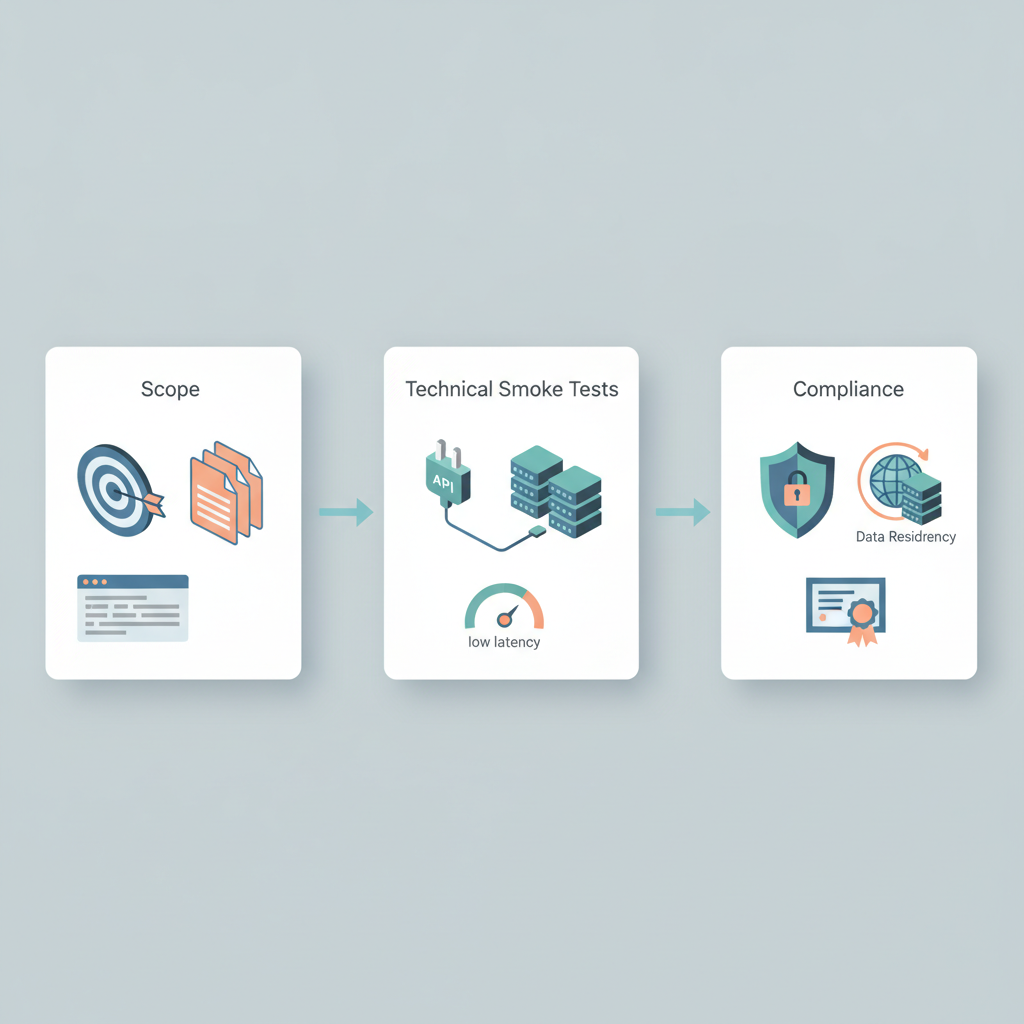
- Run fast scope checks, technical smoke tests, a rapid compliance audit, security probes, and a pricing check.
- Deliver a one‑page shortlist and scoring snapshot that pilot teams can run with immediately.

Why a 48-hour shortlist matters for fast-moving teams
You need answers fast: marketing wants a prototype by next sprint, product wants to validate a user flow, and engineering can spare only two days for vendor discovery. The common trap is spending weeks on demos and glowing decks that don’t reveal integration pain or compliance gaps. A quick ai tool shortlist checklist gives you a repeatable 48-hour process that finds practical signals — not marketing noise — so you can shortlist ai tools and hand them to pilot teams with confidence.
Quick answer: scope the use-case and must-haves, run technical smoke tests, perform a rapid compliance audit, check security signals, and validate commercial terms. Use measurable thresholds (for example, P95 latency under 300ms for interactive APIs) and produce a one-page scoring snapshot for decision-makers.
Quotable: "A 48-hour shortlist turns vendor marketing into testable hypotheses that pilots can execute."
When NOT to use a 48-hour shortlist
- When the project requires formal procurement or lengthy legal review before any dialogue.
- When the AI output cannot be evaluated with concrete acceptance criteria.
- When the vendor must be vendor-of-record for regulatory licensing (e.g., certified medical devices).
Step 1 — scope & must-have criteria (use-case, data, integrations)
Start with a one-paragraph use-case and a short must-have list. Clear scope reduces time spent testing irrelevant features. Example: "Customer support summarization for English chat logs; no PII leaves platform; must integrate with Zendesk and S3; JSON output schema required." That sentence alone drives most early disqualifications.
Create a 7‑item must-have checklist you can run in five minutes: data types accepted, integration methods (API, SDK, webhook), authentication modes (API key, OAuth), supported regions or data residency, output format, cost model (pay-as-you-go vs committed), and escalation/SLT access during pilot. This checklist is the core of your quick AI tool shortlist and is essential for effective AI tool procurement and adoption, helping to reduce vendors by half on the first pass.
Example thresholds: support for REST API and webhook, ability to redact or not store raw inputs, data residency option for EU or US, and sample JSON mapping within 24 hours.
Step 2 — rapid technical smoke tests (quick integration, latency, reliability)
Technical smoke tests prove integration viability quickly. Focus on three outcomes: can the tool be called programmatically, is response latency acceptable, and are errors predictable. Use a sandbox account or free tier if available; if not, request a short-lived API key for testing.
Run these three smoke tests: connectivity, latency under realistic load, and error handling. Connectivity confirms authentication and basic request/response. Latency measured at P95 should meet your UX threshold (for chatbots, target P95 < 300ms; for batch jobs, target throughput in records/sec). Error handling verifies retry behavior and idempotency tokens.
Smoke tests are pass/fail; if a vendor fails connectivity or returns undocumented errors, remove them from the shortlist.
API connectivity checklist and sample requests
Use this checklist to confirm an API works end-to-end: 1) Obtain API key and test auth, 2) Make a health-check call, 3) Submit a representative payload, 4) Validate output schema, 5) Test rate-limit responses. Record timestamps and response codes for traceability.
// Sample curl health check
curl -X GET "https://api.vendor.example/v1/health" \ -H "Authorization: Bearer $API_KEY" // Sample request skeleton
curl -X POST "https://api.vendor.example/v1/process" \ -H "Content-Type: application/json" \ -H "Authorization: Bearer $API_KEY" \ -d '{"input":"Customer email text here","metadata":{"source":"zendesk"}}'
Log the exact response time and body for the first 10 calls; include a screenshot or saved JSON in the shortlist packet.
Model performance sanity checks and sample prompt tests
Design three short prompts that map to acceptance criteria: accuracy, hallucination risk, and style. For example, ask for a one-sentence summary, a structured JSON extraction, and a factual lookup. Run each prompt 5x with different inputs and score results on a 0–5 scale for correctness and stability.
// Example prompt for extraction
"Extract: {customer_name, order_id, issue_summary} from the text and return JSON only."
Acceptable thresholds: mean correctness ≥4 and variance low across runs. Record sample failures and classify them (missing field, wrong type, hallucination). That forms part of your ai tool evaluation checklist and helps when shortlisting ai tools for pilot teams. For more on this, see How to evaluate ai tools.
Model sanity checks must be repeatable: submit the same input three times and expect consistent structured output at least 90% of the time.
Step 3 — quick compliance and privacy audit
Compliance checks needn’t be legal deep-dives; aim for decisive red flags and confirmable commitments. Ask for the vendor's DPA, data processing roles, data retention policy, and whether they use subprocessors. For EU pilots explicitly request DPA with SCCs or an adequacy mechanism. For US pilots, ask about CPRA compliance and whether the vendor will sign narrow contractual covenants to avoid using data for training.
Use this rapid compliance audit ai checklist: confirm DPA availability, list of subprocessors, data retention windows, export controls, and any sector-specific handling (e.g., HIPAA business associate status). If a vendor refuses to sign a DPA with SCCs for EU data, treat that as a disqualifier for EU pilots.
Verify data residency, processing roles, DSAs and standard contractual clauses
Ask direct, quotable questions: "Does the vendor sign a DPA with SCCs for EU transfers?" and "Does the vendor support data residency in X country?" Require the vendor to declare processing role (controller vs processor) in writing. For EU pilots, require documentation of SCC adoption or an alternative adequacy route.
Record answers verbatim in the shortlist packet. Example artifact: a one-paragraph vendor statement: "We store EU customer data in Frankfurt and execute a DPA including SCCs on request." That statement is what legal teams will use to fast-track pilots.
What to ask about certifications (SOC2, ISO 27001) and when they matter
Request certification scope and latest attestation date. SOC 2 Type II is a common North American trust signal; ISO 27001 is widely accepted internationally. Certifications matter most when handling sensitive data or when buyers require them as part of procurement. If the vendor lacks certifications, ask for compensating controls: encryption detail, external pen-test reports, and references.
Quotable: "A recent SOC 2 report signals operational maturity but confirm the report’s scope and date before relying on it."
Step 4 — security smoke tests and vendor behavior signals
Security checks flag obvious risks quickly. Confirm encryption at rest and in transit, key management approach, and whether the vendor supports BYOK or HSMs. Ask about incident history and how quickly they notify customers. Smaller vendors may not have formal IR playbooks, but they should have documented processes and a named contact for security incidents.
Encryption at rest/in transit, key management, incident history questions
Ask for precise answers: TLS 1.2+ for transport, AES-256 for rest, KMS provider, and whether keys are customer-controlled. Sample questions: "Do you support customer-managed keys?" "When was your last public security incident and how was it resolved?" Vendors who refuse to discuss incident history or key control are higher risk for pilots handling sensitive customer data.
Vendors who offer customer-managed keys and documented incident timelines demonstrate behavior that reduces operational surprise.
Step 5 — TCO and commercial red flags (pricing transparency checklist)
Total cost of ownership surprises derail pilots. Use a pricing transparency checklist: explicit per-unit prices, overage rates, hidden fees (setup, training, or porting), required minimum commitments, and contract termination terms. Ask for an example invoice and sample cost for a 30-day pilot traffic profile.
Red flags include: opaque pricing, mandatory annual commitments for pilots, and license clauses that grant the vendor rights to use your data to train models without compensation or opt-out. If pricing is unclear after two vendor calls, deprioritize the vendor.
Deliverables — a one‑page shortlist template and scoring snapshot
Deliver a one-page summary per vendor and a scoring snapshot for quick comparison. The one-pager should include: brief use-case fit, integration notes, compliance bullets, security summary, sample outputs, and a score (0–100) across four categories: scope fit (30), technical (25), compliance/security (25), commercial (20).
| Vendor | Scope fit (30) | Technical (25) | Compliance/Sec (25) | Commercial (20) | Total |
|---|---|---|---|---|---|
| Vendor A | 24 | 20 | 22 | 18 | 84 |
| Vendor B | 18 | 22 | 20 | 15 | 75 |
Include a copyable checklist for pilots to run during the first week:
- API key obtained and health check passed
- Representative payload processed and output validated
- Data residency confirmed for target region
- DPA available and signatures agreed or planned
- Sample invoice or pricing scenario received
How to hand off shortlisted vendors to pilot teams (next steps & documentation)
Handoff needs a single packet per vendor: one-pager, credentials for sandbox, sample inputs and outputs, test logs, compliance answers, and the scoring snapshot. Include an explicit acceptance criterion list the pilot must use to decide on production: performance targets, error rates, data handling confirmations, and a commercial threshold (for example, estimated monthly cost < $X for given traffic).
Also assign an owner for each vendor who will be the single point of contact during the pilot. That person ensures the pilot team gets access and can escalate vendor issues quickly.
Appendix — rapid email templates and a 48‑hour checklist printable
Include two reusable email snippets in the appendix: one to request an evaluation API key and one to request immediate compliance artifacts. Keep them short and actionable. Provide a printable 48-hour checklist that the discovery lead can carry into meetings and check off live.
Quotable: "A short, evidence-based vendor packet bridges discovery and pilot execution in under two days."
FAQ
What is 48-hour shortlist? The 48-hour shortlist is a fast, repeatable process that reduces a set of candidate AI vendors to a small, testable shortlist in two working days using a compact technical, compliance, security, and commercial checklist.
How does 48-hour shortlist work? It works by applying a defined sequence: scope and must-have filters, rapid technical smoke tests, a focused compliance review, security signals, and a pricing transparency check, then packaging evidence into a one-page vendor packet for pilots.